
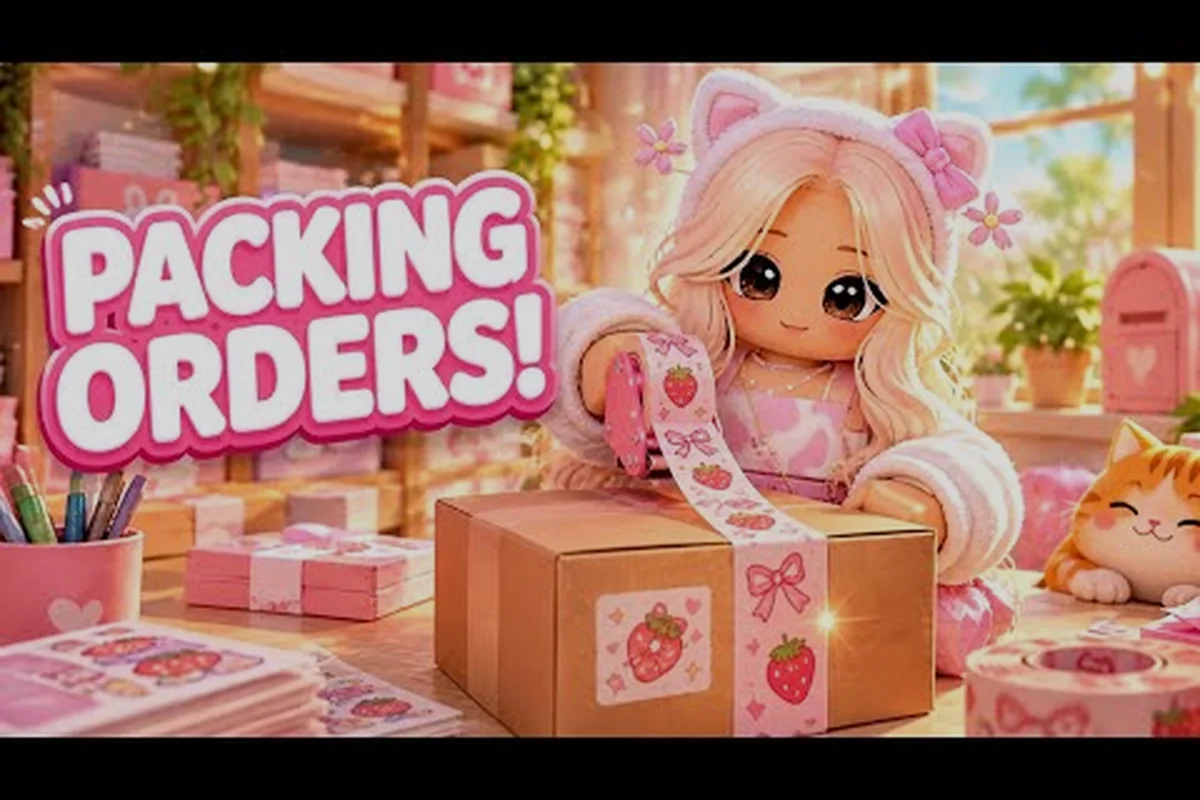
The My Small Business Roblox update today is the biggest shop-side shakeup since launch: the Plushies & Craft Fair goes live at 14:00 UTC on October 31, 2026, adding a Plushie Workshop, a craft fair truck, and two new products to sell. If you run a shop in Future CEOs' cozy tycoon, this is the patch that changes what you produce, how you package it, and where your best margins sit for the next week.
Below you'll find the full breakdown of the my small business roblox update notes, what the new content actually does to your workflow, and how to plan around the next weekly drop on November 7 at 15:00 UTC. Everything here is drawn from the official game page and community reports, so you can plan your shift before the servers fill up.
What the October 31 Update Adds to Your Shop
The headline of this patch is the Plushies & Craft Fair, a limited-time event that runs alongside your normal order flow rather than replacing it. According to the official My Small Business game page, the update ships a dedicated Plushie Workshop station, a craft fair truck where you sell event goods, and two new products added to the catalog. The notify count passed 287,000 sign-ups before launch, which tells you how crowded the first hours will be.
What matters for your bottom line is that plushies are not a cosmetic side quest. They are a second production line with its own materials, its own packing rules, and its own customer demand curve. Players who treat the workshop as decoration will fall behind on event rewards; players who slot it into their existing Design Studio routine will see a clean profit bump.
Here is the quick-reference summary of what changed, so you can scan the patch at a glance before committing stock or cash to the Plushie Workshop: the table below breaks each addition into its change type and the practical impact on your shop, from the new production building that unlocks plushie crafting to the craft fair truck that sells event goods outside your storefront. Two new catalog products widen your Design Studio and packing options, the event reward track gates limited-time progression behind event actions, and the weekly update cadence now resets every Saturday at 15:00 UTC — the next patch lands November 7, so treat that timestamp as your restock deadline.
| Change | Type | Impact on Your Shop |
|---|---|---|
| Plushie Workshop station | New production building | Unlocks plushie crafting line |
| Craft fair truck | New sales point | Sells event goods outside your storefront |
| Two new products | Catalog expansion | New design and packing options |
| Event reward track | Limited-time progression | Extra rewards for event actions |
| Weekly update cadence | Schedule change | Next patch November 7, 15:00 UTC |
The weekly update cadence is the quiet but important detail here. Future CEOs has moved to a predictable Saturday rhythm, which means you can plan stock buffers around a known reset instead of guessing. Community reports describe the pattern as stable across the last several drops, though exact timing can shift by a few minutes on busy launch days.
My Small Business Roblox Update Time and Date Explained
Timing is where most players lose rewards, so treat the my small business roblox update time as a hard deadline rather than a suggestion. The October 31 patch went live at 14:00 UTC, and the next one is scheduled for November 7 at 15:00 UTC. That one-hour shift matters if you set alarms, because a routine built around 14:00 will fire an hour early next week.
Use this conversion table so you are not doing math mid-shift: the 14:00 UTC October 31 patch equals 10:00 AM US Eastern and 7:00 AM US Pacific, while the 15:00 UTC November 7 patch shifts those to 11:00 AM and 8:00 AM respectively. For UK and Central Europe players the difference is one afternoon hour (2:00 PM → 3:00 PM and 3:00 PM → 4:00 PM), but Australia Eastern absorbs the biggest swing — 1:00 AM on November 1 becomes 2:00 AM on November 8, meaning a late-night restock run creeps an hour closer to sunrise.
| Region | Oct 31 Launch | Nov 7 Launch |
|---|---|---|
| UTC | 14:00 | 15:00 |
| US Eastern | 10:00 AM | 11:00 AM |
| US Pacific | 7:00 AM | 8:00 AM |
| UK | 2:00 PM | 3:00 PM |
| Central Europe | 3:00 PM | 4:00 PM |
| Australia Eastern | 1:00 AM (Nov 1) | 2:00 AM (Nov 8) |
Two practical notes. First, the my small business roblox update date can slip by a few minutes while the developer pushes the build, so do not schedule a time-sensitive order in the ten minutes around launch. Second, the event window is not the same as the patch window — the craft fair runs for a limited stretch, and the truck stops accepting goods when the event closes, not when the next patch lands.
If you want the full forward-looking schedule rather than just this week, the event schedule breakdown tracks confirmed dates and the recurring weekly pattern in one place — useful because the 14:00 → 15:00 UTC drift is not a one-off. When daylight saving ends in the US on November 3, 2024, the November 7 patch at 15:00 UTC lands at 10:00 AM Eastern instead of 11:00 AM, so players who converted using the October offsets will be an hour late for that restock window. Cross-check the schedule page against your own timezone each patch rather than trusting a saved alarm, and note that the changelog entry for each build typically posts within the same hour as the patch going live.
Reading the Patch Notes: What Actually Changed
The my small business roblox patch notes for this drop are shorter than the event announcement suggests, which is normal for a content patch. The developer's pattern is to ship features first and tune numbers in follow-up builds, so expect small balance adjustments in the November 7 changelog rather than sweeping changes today.
Here is how to classify what you are reading, so you can tell a real mechanic change from a cosmetic one: sort every line into one of five buckets before you spend a single coin — new station or building, new catalog product, reward track addition, cosmetic or decoration item, or balance/price tweak. The bucket tells you the blast radius. A new station like the Plushie Workshop forces you to re-plan your production layout and restock flow, while a decoration item changes nothing about your margins. A price tweak is the one that can silently break a product ladder you built last week, so it earns the closest read.
-
New station or building — changes your production layout; rebuild your routine around it.
-
New product in the catalog — changes your design and packing options; test one unit before scaling.
-
Reward track addition — changes what actions are worth doing during the event window.
-
Cosmetic or decoration item — no economic impact; buy it only if it fits your shop theme.
-
Balance or price tweak — the highest-risk category; verify against your own sales before trusting old margins.
The my small business roblox changelog for this patch leans heavily on the first three categories. The Plushie Workshop is a genuine production change, the two new products are catalog additions, and the event reward track is a progression layer. Nothing in the confirmed notes suggests a price rebalance on existing goods, so your current product ladder should still hold.
One caution: community chatter often conflates the event announcement with the patch notes. The notify count and the event trailer are marketing; the patch notes are the mechanics. When the two disagree, trust the in-game behavior you can observe on your own shop floor.
What's New for Plushie Production and Packing
The my small business roblox what's new list for this patch is dominated by the plushie pipeline, and it is worth understanding how it differs from your standard product flow. Standard goods go sketch, print, cut, pack, ship. Plushies add a workshop stage that behaves more like assembly than printing, which means your bottleneck moves.
The practical difference shows up in three places: the Workshop assembly step, the packing stage, and the sales channel. In the Workshop, each plushie is built unit by unit rather than batch-printed, so a single plushie can eat the time your Design Studio would spend on several standard products. Packing then adds a themed-packaging preference, meaning a plain box still ships but a themed one better matches event objectives. Finally, the craft fair truck gives plushies an outlet standard goods lack, so event stock can move even while your storefront queue is backed up.
| Stage | Standard Product | Plushie Product |
|---|---|---|
| Creation | Design Studio sketch | Workshop assembly |
| Speed | Fast, batchable | Slower per unit |
| Packing | Standard packaging | Themed packaging preferred |
| Sales channel | Storefront orders | Storefront plus craft fair truck |
| Best use | Volume and steady income | Event rewards and margin |
Because plushies are slower per unit, do not try to run them at the same volume as your printed goods. Instead, treat them as a high-margin, low-volume line that fills event objectives while your standard products keep the cash flowing. Players who try to convert their whole shop to plushies in the first hour usually stall out on packing and miss the early reward window.
A second detail worth flagging: the craft fair truck sells event goods specifically. That means plushies have a second outlet that standard products do not, which makes them more forgiving if your storefront queue backs up. Load the truck with event stock and keep the storefront running normal orders.
If you are still learning the basic production loop, the tutorial walkthrough covers the Design Studio and packing flow in order, which makes the plushie additions much easier to slot in. Work through it before your first plushie batch so the Workshop assembly step does not catch you off guard: the tutorial drills the sketch-to-print rhythm your standard goods rely on, and once that loop is automatic you can afford the slower per-unit Workshop time without your storefront queue stalling. Skipping it usually means discovering the themed-packaging preference mid-rush, when a plain box still ships but misses the event objective you were chasing.
How to Prepare Before the Next Patch
The my small business roblox update notes for November 7 are not out yet, but the pattern from this patch gives you a reliable preparation checklist. The goal is to enter each weekly drop with a stock buffer and a clean production line, so a new feature does not force you to rebuild from scratch mid-event.
Work through this sequence in the days between patches: run your order queue down to zero first, then stockpile roughly one shift's worth of finished goods so a fresh station or recipe never collides with leftover commitments. Test a single unit of any new product before scaling — confirm its packing time and shelf price on your own shop rather than trusting the changelog — and log current margins on your top three sellers so a stealth rebalance in the my small business roblox update notes stands out immediately.
-
Clear your order backlog before the patch window opens, so a new station does not compete with old commitments.
-
Bank a small buffer of finished goods — enough to cover roughly one shift of normal orders without producing anything new.
-
Test one unit of any new product before scaling; confirm the packing time and the sale price on your own shop.
-
Note your current margins on your top three products, so you can spot a stealth rebalance in the next changelog.
-
Check the official group page for the confirmed launch time rather than relying on a reposted countdown.
That last point is worth emphasizing. The Future CEOs group page is the verified source for update announcements, and it is where the developer posts the confirmed time and any last-minute changes. Community reposts are usually accurate but occasionally lag by an hour or more, which is exactly the window where players miss a launch.
A buffer also protects you against the most common patch-day failure: the server fills up, your first shift is slow, and you burn the event's opening hours waiting in a queue instead of producing. Entering with stock already made means you can sell immediately once you are in.
Avoiding the Most Common Patch-Day Mistakes
Most of the frustration around the my small business roblox update today comes from a handful of repeatable errors rather than from the content itself. The patch is generous; the mistakes are self-inflicted. Here are the ones that show up most often in community reports.
Overbuilding the new station. The Plushie Workshop is tempting to max out immediately, but the slower per-unit speed means an oversized workshop just creates a bigger backlog. Build to match your actual packing throughput, not your ambition. A practical rule: count how many plushies your packers clear per shift, then add only one workshop tier above that number — anything more and the queue stalls while your storage fills with unsold stock, tying up the exact cash you need for the craft fair truck and event orders. If your workshop output outpaces packing by more than roughly a third, you are paying upgrade costs for inventory that sits idle.
Ignoring the storefront while chasing event rewards. The craft fair truck is an addition, not a replacement. Players who abandon normal orders for the whole event window often end up with fewer total rewards because the reward track still values steady shop activity.
Trusting an old margin sheet. If the November 7 changelog includes a price tweak, a product ladder built on October numbers will quietly lose money — a plushie you priced at a 40% margin in October can drop to roughly 25% after a single supplier-cost bump, and you will not notice until the craft fair truck order settles. Re-check your top sellers after every patch: pull the current sell price from the shop menu, subtract your restock cost, and compare the result against your saved October sheet before you commit to a large event order. Three lines of arithmetic on your best three products catches almost every silent margin leak the my small business roblox patch notes introduce.
Scheduling around the wrong time zone. The one-hour shift between the October 31 and November 7 launches catches people every cycle, and it compounds: the October 31 patch dropped at 18:00 UTC, while November 7 lands at 17:00 UTC, so anyone who set a recurring alarm from the earlier my small business roblox update time arrives an hour late to a live economy. That hour is not cosmetic — it is exactly when the craft fair truck order window opens and when early plushie restock prices are still at pre-patch levels. Set the alarm from the UTC timestamp in the my small business roblox changelog, then convert once to your local clock and label it with the my small business roblox update date, not from memory.
Skipping the verification step. If a mechanic feels different after a patch, test it once before redesigning your whole routine. Most "the update broke my shop" reports turn out to be a single changed number, not a broken system. The Plushie Workshop speed nerf is the clearest example: one player's per-unit craft time shifting from 4 seconds to 5 seconds does not sound dramatic, but across a 60-plushie shift that is 60 extra seconds of station occupancy, which cascades into a packing backlog and a stalled craft fair truck order. Run one controlled test — craft a single plushie, time it, note the sell price in the shop menu — and compare against your saved October figures before you touch your layout. That one-minute check separates a real my small business roblox update today problem from a number you simply have not read yet.
A useful habit is to keep a short written record of what you sold, what you packed, and what margin you got in the first shift after each patch. Three or four entries are enough to spot a trend, and it turns the my small business roblox update date from a stressful unknown into a predictable planning marker.
Frequently Asked Questions
What time does the My Small Business Roblox update go live today?
The October 31, 2026 patch launched at 14:00 UTC, which is 10:00 AM Eastern and 7:00 AM Pacific. The next weekly update is scheduled for November 7 at 15:00 UTC, one hour later, so adjust any alarms you set from this week's launch.
What is included in the My Small Business Roblox update notes today?
The confirmed notes cover the Plushies & Craft Fair event, a new Plushie Workshop station, a craft fair truck for selling event goods, and two new products added to the catalog. The notify count passed 287,000 sign-ups before launch, so expect heavy traffic in the opening hours.
Where can I read the official patch notes and changelog?
The verified source is the official My Small Business game page and the Future CEOs group announcements. Community reposts are usually accurate but can lag behind by an hour or more, which matters on launch day when the event window is already open.
Do plushies replace my normal products?
No. Plushies are a high-margin, low-volume line with slower per-unit production, while standard printed goods remain your volume and cash-flow engine. Run both: plushies for event rewards and the craft fair truck, standard products for steady storefront orders and reliable income.
How should I prepare for the next update on November 7?
Clear your order backlog, bank roughly one shift of finished goods, test any new product before scaling it, and record your current margins so you can spot a balance change. Check the official group page for the confirmed launch time rather than relying on a reposted countdown.
The October 31 drop is a content patch with a clear economic shape: a new production line, a second sales outlet, and a reward track that rewards players who keep their normal shop running while they work the event. Plan around the 14:00 UTC launch, keep a stock buffer for November 7 at 15:00 UTC, and verify any mechanic change on your own shop floor before rebuilding your routine. That approach turns each weekly patch from a disruption into a scheduled advantage.