
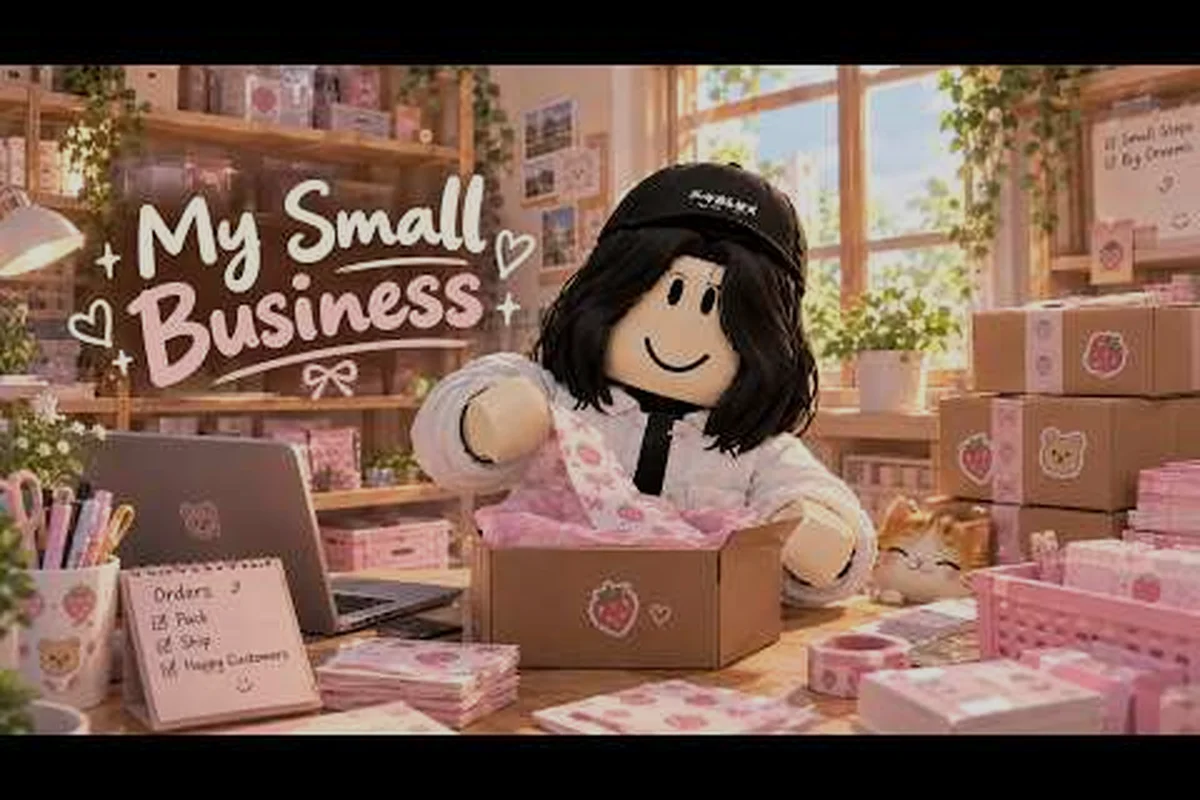
This My Small Business Roblox complete walkthrough follows the progression from a bedroom setup to a growing operation, showing how product design, order fulfillment, and warehouse expansion fit together. Instead of buying every upgrade immediately, compare each machine’s cost with its effect on production time and daily income, then reinvest the savings from faster orders. That approach helps new shop owners avoid cash shortages while learning how to create products, complete orders, manage stock, and unlock the warehouse in the right sequence.
Game Overview
My Small Business is a cozy Roblox tycoon about turning a small idea into a functioning online shop. The official My Small Business game page describes a core loop built around sketching products, producing physical items, preparing customer orders, and shipping them. This makes the game more hands-on than a typical idle business simulator because every sale depends on several connected production steps.
The official overview also identifies major progression landmarks such as the First Masterpiece, First Delivery, star-rating progress on the Orders board, and the Craft Studio unlock through the Move Out milestone. These objectives show that early progress is about learning the full workflow, while later development adds space, equipment, workers, and better production capacity.
Core Gameplay Loop
Each stage in My Small Business feeds the next, so a weak choice early in the loop can limit the entire shop. For example, designing an item may require advanced materials or a specific production time, which affects how many units you can print and whether storage can handle the resulting inventory. After production, order preparation adds another layer: packaging the correct item with any required extras turns a sellable product into a completed order, while delivery ultimately determines the money and rating earned. Stabilizing each stage before expanding helps prevent bottlenecks in the core gameplay loop.
| Stage | Player action | Immediate goal | Common mistake |
|---|---|---|---|
| Product design | Sketch an item in the Design Studio | Create a sellable concept | Spending cash on advanced materials too soon |
| Production | Print and cut the designed product | Build sellable inventory | Producing more units than storage allows |
| Order preparation | Place the correct item and extras in packaging | Reach a completed order | Forgetting a thank-you card or goodie |
| Delivery | Ship the finished package | Earn money and rating | Ending a delivery before checking requirements |
| Expansion | Improve the shop and unlock tools | Increase capacity | Expanding before the current system is stable |
Major Progression Milestones
The official game page identifies the badges and expansion goals that provide a reliable early roadmap for My Small Business. Treat the sequence below as a campaign: earn the Welcome badge, create a First Masterpiece, complete a First Delivery, then move through Move Out and warehouse expansion. Each milestone unlocks a new production step, so completing them in order helps beginners build the shop, test orders, and reach the Craft Studio without skipping essential setup.
| Milestone | What it represents | What to do next |
|---|---|---|
| Welcome badge | Entry into the shop system | Learn the design and production tools |
| First Masterpiece | Completing a designed product | Turn that sample into a production item |
| First Delivery | Successfully shipping an order | Improve rating and order accuracy |
| Move Out | Leaving or upgrading the bedroom setup | Unlock the Craft Studio |
| Warehouse expansion | More room for production and stock | Add workers and scale output |
The Craft Studio matters because it expands the available business process instead of merely increasing capacity. After the Move Out milestone, players can develop additional products and connect them to warehouse expansion, so the studio changes what the shop can produce rather than simply speeding up the same production loop. For example, a player can move from a single basic item into a wider product range, test new order types, and use the expanded warehouse as the foundation for later scaling.
Beginner Product Design and Production
The early phase of this my small business roblox complete walkthrough should focus on one sellable item at a time. Product creation is not merely a cosmetic choice; the finished design becomes the item customers expect to receive. Spending immediately on elaborate materials can leave you short of cash before the business has produced its first useful order.
Start by learning the full sequence: sketch a product, print it, cut the printed material, and place the result into inventory. Once one cycle is familiar, repeat it without rushing. The goal is to build a reliable process, not to discover every recipe during the first ten minutes.
Building a Simple First Product
Choose a design that is simple to make, easy to recognize, and useful for an early order. The official game description specifically mentions designing products and then printing and cutting them, so those actions should form the foundation of your first routine.
-
Draw or select a clear design before opening production menus.
-
Check the material cost and available cash.
-
Print only enough units for an initial test order.
-
Cut the product and confirm that it appears in your inventory.
-
Repeat the cycle until the required order can be assembled.
-
Save the design recipe for later restocking.
| Early priority | Better choice | Why it helps |
|---|---|---|
| Product complexity | One simple design | Reduces the number of steps you must repeat |
| Initial quantity | A small batch | Limits cash risk and excess stock |
| Packaging details | Learn every required extra | Prevents failed deliveries |
| Upgrade timing | Wait for reliable orders | Avoids buying speed that you cannot use yet |
Cash Discipline Before the First Delivery
Every purchase reduces the money available for materials and operating costs. Players who rush upgrades often discover that their workshop looks better but cannot produce enough inventory. A balanced approach is to keep enough cash for several production cycles and one complete order before spending on cosmetic or convenience improvements.
This is especially important for players searching for my small business roblox for beginners 2026 advice, because early mistakes accumulate. A simple order completed correctly teaches more than a large batch that leaves you without packaging money. The focused beginner guide can help with the basic controls before you attempt a long production line.
Orders, Packaging, and Rating Progress
Orders become the test of your entire production system. Completing one requires more than delivering the chosen product; you also need to package it with the requested extras. The official game page highlights cute packaging, thank-you cards, and goodies, making accuracy a central part of the early game rather than optional decoration.
Read each order carefully before touching the packing station. Compare the customer’s requested item with the inventory, then add every listed extra. The Orders board provides star-rating progress, so good shipments improve your reputation while mistakes can interrupt that progress.
A Steady Packing Routine for Multiple Parcels
Use the same order-packing sequence every time so each Roblox delivery meets the customer’s exact requirements. For example, if a purchase includes a thank-you card, a goodie, and a limited-edition product, checking the order details against each requirement prevents missing an extra or shipping the wrong design. A consistent routine also reduces fulfillment errors, protects product quality, and helps your My Small Business operation scale as order volume increases.
-
Open the order and identify the requested product.
-
Select the matching item from inventory.
-
Add each required extra, including cards and goodies.
-
Inspect the package contents once more.
-
Close the package and ship it.
-
Confirm the delivery registration and rating change.
| Packaging item | Why customers need it | Best handling method |
|---|---|---|
| Requested product | Completes the core order | Match the design and quantity exactly |
| Packaging | Protects and presents the product | Include before the final close action |
| Thank-you card | Requested presentation extra | Add on every order that calls for it |
| Goodies | Additional order extra | Check the order card rather than assuming |
| Shipping action | Registers the sale | Use only after contents are verified |
Handling Mistakes
If a completed order appears incorrect, focus on the failed stage rather than abandoning the business. Compare what was packed with the order requirements, then return to the relevant production or packaging step. For badge-specific goals and delivery checks, the dedicated guide to earning the First Delivery badge provides a narrower reference.
Community reports commonly frame the rating system as a practical quality target, but exact rewards may vary as the game changes. Treat the Orders board as the live source of truth for your account, because it directly displays current star progress and the next required milestone.
Expanding the Shop and Unlocking the Craft Studio
Once orders are reliable, expansion becomes the next layer of the my small business roblox complete walkthrough. The Move Out badge unlocks the Craft Studio, which broadens what you can make. A larger space also introduces storage and workflow considerations that a bedroom shop does not initially require.
Before expanding, check two bottlenecks: can you complete orders accurately, and can you finish the current production cycle without excessive waiting? If either answer is no, moving to another room may not solve the problem. A practical example is a shop with multiple production stations: if the packaging station is still occupied while an order waits for delivery, added workspace can increase distance rather than output. Track the time spent completing each order and the delay between crafting and shipment; for a My Small Business Roblox walkthrough, those figures reveal whether expansion genuinely improves throughput or merely creates more empty floor space.
Move Out and Craft Studio Checklist
-
Finish enough orders to unlock the Move Out objective.
-
Move or expand the shop when the game permits it.
-
Enter the Craft Studio and inspect every available station.
-
Identify which tool shortens the slowest production step.
-
Keep a small reserve for packaging and repeat orders.
-
Compare storage capacity with the size of your next production batch.
| Expansion choice | Direct benefit | Best time to purchase |
|---|---|---|
| More workshop space | More room for stations and movement | After a dependable order routine exists |
| Craft Studio access | New production options and broader recipes | At the Move Out milestone |
| Storage increase | Fewer interruptions from full inventory | When the current storage limit becomes visible |
| Worker hire | Faster or delegated labor | After players know what each station produces |
| Delivery convenience | Less repeated manual handling | When order volume is consistently high |
The Craft Studio unlock is a major progression landmark rather than a simple decoration. Treat it as the opening of a second production phase: design around one upgraded item, learn its material costs, and then decide whether it deserves a regular place in your order mix.
When to Hire Help
Workers become worthwhile when manual work prevents you from using other stations efficiently. Hiring before you understand the bottleneck can leave an employee idle or working on a product that does not support your most profitable orders. Observe where you repeatedly wait, then assign the first helper to that exact task.
The progression quest guide is useful for checking milestone requirements, while the official Future CEOs Roblox group is the best place to verify current events and developer notices.
Production Strategy for Steady Growth
The strongest my small business roblox complete walkthrough uses a measurable production loop rather than a long list of random upgrades. Track three values: how long one product takes, how many complete orders you can fulfill per session, and how much cash remains after supplies. Those figures reveal whether the business is growing efficiently or merely producing more inventory.
Community players often describe the late game as a balance between higher output, better products, and less repetitive handling. That balance changes as prices and available recipes shift, so treat community advice as a strategy prompt rather than a permanent price guarantee.
Scaling by Bottleneck
Choose one station that repeatedly interrupts the process. If cutting takes too long, prioritize production speed. If packing consumes most of your attention, improve packaging flow. If workers make production automatic but orders still pile up, the limit is delivery capacity instead.
| Symptom | Likely bottleneck | Practical response |
|---|---|---|
| Inventory frequently overflows | Production exceeds storage | Make smaller batches until capacity improves |
| Materials sit unused | Design-to-production delay | Plan the next product before restocking |
| Orders wait near packing | Packaging speed | Optimize package contents and packing rhythm |
| Upgrades cost too much | Low cash reserve | Sell completed standard orders before expanding |
| Employees stand idle | Poor work assignment | Match workers to the station with repeat demand |
Comparing Daily Priorities
A simple schedule can produce better results than reacting to every notification because each work block needs a measurable finish line. For example, begin with an order that can be completed at the current upgrade level, then reserve a separate production block for higher-value stock that takes more cutting or crafting time. Moving design, production, packing, and expansion into defined phases prevents partially finished orders, reduces expensive repurchases, and shows whether cash is being spent on the real production bottleneck.
| Session phase | Main task | Secondary task |
|---|---|---|
| First block | Complete the most accessible order | Replenish essential packaging |
| Second block | Produce stock for several orders | Check order requirements before cutting |
| Third block | Pack and ship accumulated orders | Record rating progress |
| Final block | Repair the weakest production link | Save cash for the next upgrade |
For later profit planning, the late-game money guide can help you evaluate output after the basic workflow is stable. The important principle remains the same: improve the bottleneck that limits completed sales, not the component that merely looks most advanced.
Milestones, Time Estimate, and Completion Goals
There is no verified fixed completion time for My Small Business, so any claim that it takes an exact number of hours should be treated cautiously. The game’s open-ended tycoon structure also allows different goals: earning a first delivery, reaching the Craft Studio, earning a strong rating, or building a large automated warehouse. This is why my small business roblox how long to beat has no single authoritative answer.
A practical beginner session is better measured by milestones than by a stopwatch. Most players can expect the first design-to-delivery cycle to take several attempts because they are learning production and packaging simultaneously. Reaching the Move Out objective and Craft Studio usually requires multiple orders, while a larger warehouse and worker team represent a longer progression target.
Completion Checklist
Use these checkpoints to estimate where your account stands, then compare the milestone you have reached with the next upgrade or order in the checklist. A beginner with one designed, printed, cut, and stored product is ready for a customer order; earning the First Delivery badge and registering a shipment confirms that core loop. From there, Orders-board progress, Move Out access to Craft Studio, storage expansion, and active workers indicate whether you are focusing on ratings, production scale, or long-term shop efficiency.
| Player goal | Evidence of completion | Next action |
|---|---|---|
| Learn the game | One product designed, printed, cut, and stored | Complete a customer order |
| Make the first sale | First Delivery badge and a registered shipment | Raise order accuracy and rating |
| Improve reputation | Visible progress on the Orders board | Repeat low-risk, high-volume orders |
| Broaden production | Craft Studio access through Move Out | Develop one upgraded product |
| Scale the operation | Larger shop, useful storage, active workers | Balance labor and material costs |
| Player approach | Typical session goal | Milestone pace |
|---|---|---|
| Casual | One complete order plus one restock | Slow but steady badge progress |
| Focused | Several orders and one production upgrade | Faster early rating growth |
| Efficient | Batch production followed by packing sessions | Quicker Craft Studio progression |
| Long-term | Warehouse, workers, and multiple product lines | Slowest because of higher cash requirements |
This makes the my small business roblox complete walkthrough flexible: it follows the official milestone chain without promising an exact finish time. Players who only want the core experience can stop after the first delivery and workshop expansion, while completionists can continue improving ratings and production scale.
Practical Walkthrough Checklist for New Shop Owners
A clean run depends on avoiding unnecessary upgrades and lost inventory. Before starting each session, confirm the required order, material cost, storage space, and next milestone. This quick routine turns the game’s many stations into a manageable production schedule.
Pre-Session Preparation Checklist
-
Check the Orders board for the next required customer request.
-
Design or select a product that you can produce reliably.
-
Print a controlled batch instead of the largest affordable batch.
-
Cut and store the finished products before accepting more work.
-
Assemble every requested package extra.
-
Ship only after verifying the contents.
-
Record star-rating progress after delivery.
-
Save cash for the next bottleneck improvement.
-
Use the official Future CEOs notices for current update details.
Mistakes New Players Should Avoid in a Walkthrough
| Mistake | Why it slows progress | Better habit |
|---|---|---|
| Buying every upgrade | Cash disappears before income stabilizes | Upgrade one confirmed bottleneck |
| Ignoring order extras | Deliveries may fail quality requirements | Use a fixed packing checklist |
| Overproducing a design | Storage space fills with slow stock | Estimate orders before batching |
| Skipping badge objectives | Easy progression rewards are missed | Review the Orders board regularly |
| Treating community values as fixed | Updates may change prices or rewards | Verify current information in-game |
The central takeaway of this my small business roblox complete walkthrough is simple: learn the production chain, protect cash, complete accurate orders, and expand only when the current step works reliably. Your first delivery proves the whole loop, the Craft Studio broadens it, and a larger warehouse turns the small shop into a sustainable business.
Frequently Asked Questions
Is My Small Business Roblox a complete tycoon game?
My Small Business is a full tycoon-style Roblox experience centered on designing products, printing and cutting them, packing customer orders, and developing a larger shop. It includes milestones such as the First Masterpiece, First Delivery, Move Out, and Craft Studio access, although it remains open-ended rather than ending with one fixed credits scene.
How long does it take to finish My Small Business Roblox?
There is no verified fixed completion time because players choose different goals. A first delivery can happen after learning one production cycle, while Move Out and Craft Studio progression require several successful orders. Building a large warehouse, hiring workers, and perfecting ratings are optional long-term goals rather than a single measured ending.
What should new players make first in My Small Business?
Begin with a simple product whose design and required materials are easy to understand. Print a small batch, cut it, and use it to complete one order before expanding your catalog. This reduces wasted supplies and teaches the full design, production, packaging, and delivery cycle before you commit to expensive materials.
Do workers make My Small Business easier?
Workers can reduce repetitive production work once the business consistently generates enough orders to keep them busy. Hiring too early may waste cash, especially if you have not identified which station slows you down. First learn each station manually, measure your workload, and then hire help where it can remove a clear bottleneck.
Is the Craft Studio important for early progress?
The Craft Studio becomes important because Move Out unlocks broader production options, not merely a larger room. It is a stronger checkpoint for dedicated progression than the first delivery, but rushing toward it can hurt new players. Secure a reliable order routine and basic cash reserve before expanding your product line.