
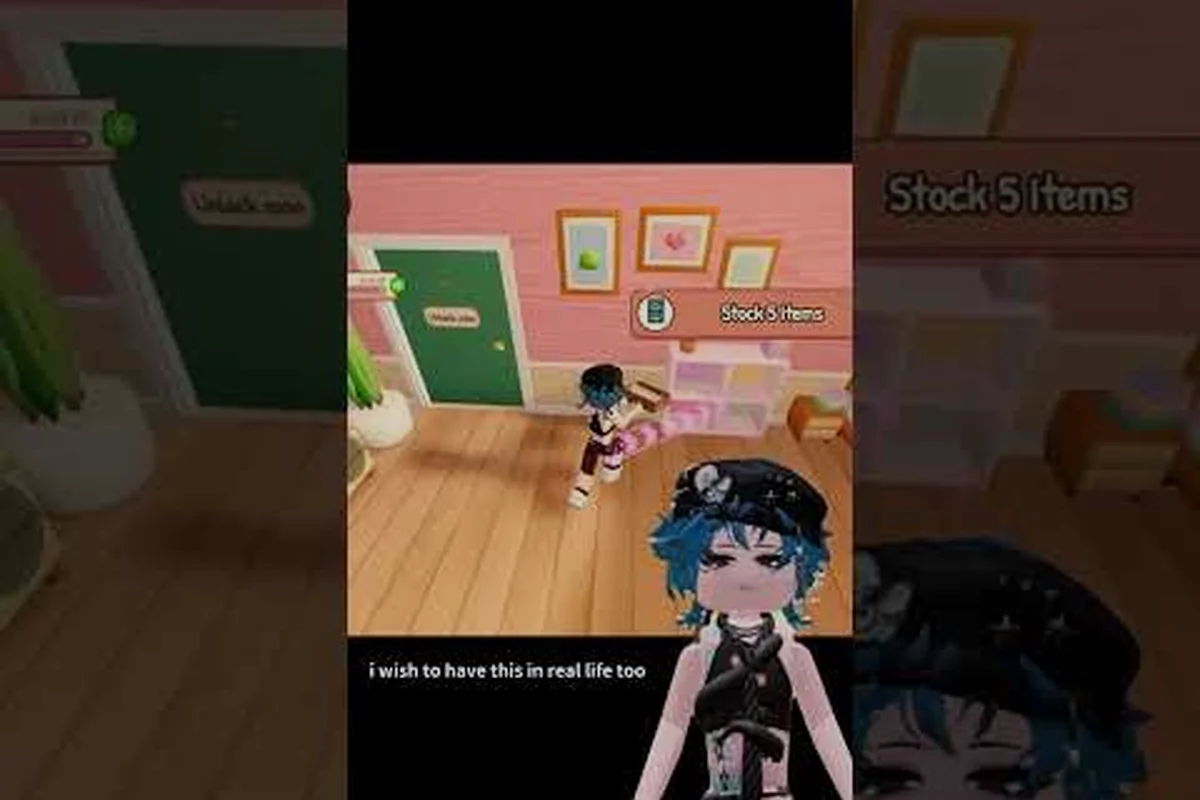
The latest my small business roblox recent updates reshape how you design, pack, and sell goods, and missing them means falling behind on limited-time rewards. This breakdown covers the Goodie Customization event, the Shop Customization rollout, and what the plushies and craft fair content actually changed for your daily routine.
What the Latest My Small Business Roblox Recent Updates Changed
The October 2026 patch cycle was one of the busiest stretches the tycoon has seen. According to the official My Small Business game page, the Goodie Customization event ran through late October with custom goodies and a Halloween crate, while Shop Customization went live on October 27 and continued into November. Both additions touch systems you interact with on every single order, so understanding them is not optional if you want steady income.
The short version: two customization systems landed back-to-back, and both feed directly into your per-order profit rather than sitting as cosmetic extras. Goodie Customization arrived with the late-October Halloween event, letting you swap the free extras in each package for themed variants like the Halloween crate — a small lever that nudges customer satisfaction without touching your production line. Shop Customization followed on October 27, decoupling storefront appearance from your normal crafting loop so you can restyle the shop while plushies and craft fair orders keep running. The plushies and craft fair economy stayed the revenue backbone throughout, with event traffic lifting demand for workshop products, and the accompanying bug fixes smoothed out packaging interactions and order flow issues that had been costing players sales during the event window.
-
Goodie Customization let you personalize the free extras tucked into customer packages, including a seasonal Halloween crate.
-
Shop Customization opened up storefront appearance changes that run alongside your normal production loop.
-
Plushie Workshop content stayed central to the plushies and craft fair economy, with new product demand tied to event traffic.
-
Bug fixes cleaned up packaging interactions and order flow issues reported by players during the event window.
The developer behind the game, ScriptedJulia, runs updates through the Future CEOs Roblox group, which now exceeds 230,000 members and serves as the verified announcement channel. That group page is where the next update and any upcoming updates get confirmed first, so it is worth checking before you plan a grind session.
Why These Changes Matter for Your Shop
Every one of these systems feeds directly into customer satisfaction and payout size. Custom goodies are not cosmetic fluff — they influence how customers react when they open a package, and a happy customer is a repeat customer. Shop Customization gives you a way to stand out without changing your production line, which matters because foot traffic in a tycoon is partly driven by how appealing your storefront looks from the outside.
The Halloween crate deserves special attention. Community reports note the exact end time differed between sources, with some pointing to October 29 and others to October 31, so treat it as recently ended rather than guaranteed active. If you are reading this after the window closed, the crate is likely gone, but the customization habits you built during the event carry forward into the next seasonal push.
Goodie Customization Event: What It Added and How It Played
The Goodie Customization event was the headline feature of this update cycle. Instead of shipping a generic thank-you card and a fixed goodie, you could design the extras that go into each package. That sounds small until you realize packaging is the last step before a sale completes, and it is where customer mood gets locked in.
Players who experimented during the event window reported a few practical patterns: matching a themed goodie to the product on the shelf produced a noticeably warmer customer reaction for only a low effort cost, which made it the sweet spot for repeat buyers grinding toward the plushies reward track. The Halloween crate add-on pulled its strongest positive reactions during the seasonal rush, but the mood gain faded once the event timer expired, so banking crates for off-event orders wasted the medium effort. Full custom packaging sets delivered the best overall mood scores, yet the high effort cost only paid off on low-volume, high-value craft fair orders where a single satisfied customer could snowball into a queue of new shoppers.
| Customization Choice | Effort Cost | Customer Reaction | Best For |
|---|---|---|---|
| Standard goodie (no change) | None | Neutral, predictable | High-volume grinding |
| Themed goodie matching product | Low | Noticeably warmer | Repeat buyers |
| Halloween crate add-on | Medium | Strong positive during event | Seasonal rush orders |
| Full custom packaging set | High | Best overall mood | Low-volume, high-value orders |
The takeaway is that customization is a trade-off, not a free upgrade. If you are pushing volume to hit a reward threshold, standard goodies keep your line moving. If you are chasing satisfaction on a handful of expensive orders, the full custom treatment pays for itself.
Designing Goodies That Actually Land
The players who got the most out of this event treated goodie design as a matching game. A plushie order paired with a plushie-themed goodie felt intentional; a random Halloween crate on a plain order felt like noise. Community gameplay from creators like Kateleen's tips and guides series shows the same pattern — the shops that look cohesive move product faster than the ones that treat packaging as an afterthought.
Start with a small palette of two or three goodie styles that match your best-selling product categories, then rotate seasonally. That keeps your design work low while still giving customers the sense that you paid attention to what they bought.
Shop Customization Rollout: Appearance Meets Efficiency
Shop Customization arrived on October 27 and ran into November, and it is the change with the longest shelf life from this patch cycle. Unlike a limited event, this is a permanent layer you can keep tuning. The core idea is that your storefront is now a second sales channel — customers see it before they ever see your products.
A practical way to approach it: treat the October 27 shop customization rollout as a rolling experiment rather than a one-time setup. Start with a single storefront theme from one color family, feature your top-selling item in the product display slot, and keep signage pricing clear before adding any seasonal accents. Because this is a permanent layer, you can rotate one focal decoration each in-game week and measure whether foot traffic and sales hold steady — restraint keeps browsing fast, while stacking five competing themes slows customers down and buries your best sellers.
| Customization Area | Quick Win | Long-Term Investment | Risk |
|---|---|---|---|
| Storefront theme | Pick one color family | Seasonal rotation | Clashing colors hurt appeal |
| Product display | Feature your top seller | Group by category | Clutter slows browsing |
| Signage and labels | Clear pricing | Branded naming | Overdesign confuses buyers |
| Seasonal accents | One focal decoration | Full holiday set | Too many accents look messy |
The pattern that works is restraint. One strong theme beats five competing ideas, and a clean display moves customers through faster than a crowded one. If you want a deeper look at how product presentation ties into sales, the product catalog breakdown walks through which items deserve front-and-center placement.
Weighing Decoration Time Against Order Income
The trap with Shop Customization is spending your whole session decorating instead of producing. Set a hard limit — say, one decoration pass at the start of a session and nothing after — then get back to the Design Studio. Aesthetic upgrades compound over days, but order income compounds over minutes, and you need both.
Plushies and Craft Fair Content in the Current Meta
The plushies and craft fair loop remains the backbone of mid-game income, and this update cycle reinforced that rather than replacing it. Plushie Workshop production feeds the craft fair, and the craft fair is where event traffic converts into bigger payouts. If you are still figuring out the event side of that loop, the craft fair guide covers the truck loading and selling rhythm in detail.
What changed is the demand curve. With Goodie Customization live, plushie orders became more valuable because you can attach themed extras that lift satisfaction. That means the plushies update effectively raised the ceiling on plushie profit without changing the production steps.
| Product Type | Production Speed | Event Demand | Customization Synergy |
|---|---|---|---|
| Basic plushies | Fast | High during events | Strong with themed goodies |
| Acrylic charms | Medium | Steady | Moderate |
| Art prints | Medium | Spiky | Moderate |
| Luggage tags | Fast | Low | Weak |
The practical read: keep plushies running as your default product, layer in charms and prints when event demand spikes, and skip heavy customization on low-value items where the effort never pays back. The table above makes the split obvious — luggage tags are fast to produce but carry weak customization synergy and low event demand, so spending Goodie Customization materials on them wastes stock you could route into themed plushies instead. Save the acrylic charms and art prints for the spiky demand windows, since their medium production speed means you cannot restock them mid-event the way you can with basic plushies.
Reading the Craft Fair Demand Signal
Craft fair traffic is not random. It rises when an event is live and falls when the event ends, which means your production should breathe with the calendar. Stock up before a known event window, sell hard during it, and dial back to baseline production once the crate disappears. Players who run flat production year-round end up with inventory they cannot move at full price.
Preparing for the Next Update and Upcoming Updates
The my small business roblox next update will almost certainly follow the same rhythm as this one: a themed customization feature, a limited crate, and a handful of quality-of-life fixes. You cannot predict the exact content, but you can predict the shape, and that is enough to prepare.
A pre-update checklist that has held up across cycles, because each patch so far has followed the same three-beat structure: a themed customization drop, a limited-time crate tied to the event, and a small batch of quality-of-life fixes like the plushies and craft fair refresh. That predictability is what makes preparation worthwhile — if you know the shape of the my small business roblox next update, you can front-load the work that the event rush always punishes you for skipping. The checklist below is ordered by lead time, so start at the top and work down as the confirmed date approaches.
-
Bank a stock buffer of your two best-selling products before the patch lands.
-
Clear your design backlog so you are not sketching during the event rush.
-
Check the Future CEOs group for the confirmed date rather than trusting rumor threads.
-
Set aside packaging materials for custom goodies if the next event follows the same template.
-
Note your current income baseline so you can measure whether the update actually helped.
The update notes breakdown is a useful companion here, since it tracks what each patch actually changed versus what the announcement promised. That gap matters more than it sounds: the plushies and craft fair refresh shipped as a quality-of-life fix but quietly shifted which custom goodies sell fastest, and a themed crate drop can spike demand for one product line for a week before settling. Reading the patch notes against the announcement lets you spot those shifts early, adjust your stock buffer and pricing before the event rush hits, and avoid restocking a product the update just made obsolete.
Game Systems That Rarely Change
Some systems barely move between updates, and knowing which ones to trust saves you from over-planning. The Design Studio workflow, the print-and-cut step, and the pack-and-ship sequence have stayed consistent through multiple cycles. Customer order logic is also stable — customers want what they ordered, delivered reasonably fast, with a little extra charm on top.
That stability is why a stock buffer works. Even if the next update adds a new product category, your existing inventory does not become worthless; it just competes with new options. Build the buffer around plushies and charms, not around whatever the newest shiny item happens to be.
Common Mistakes Players Made During These Updates
Watching the community react to this patch cycle surfaced a few repeatable errors worth flagging. The most expensive one was over-customizing during a volume push — players who spent ten minutes per order on goodie design missed reward thresholds they could have hit with standard packaging.
The second was ignoring Shop Customization entirely. A plain storefront is not neutral; it is a missed opportunity, because customers browsing between shops gravitate toward the one that looks intentional. You do not need a full redesign, but one coherent theme is nearly free in terms of time.
The third was treating the Halloween crate as permanent. Limited-time content expires, and players who built their whole strategy around crate bonuses got caught flat-footed when the window closed. Community gameplay from creators like Yasi on Roblox shows the healthier approach: use the limited item as a bonus layer on top of a stable production base, never as the base itself.
A Quick Recovery Plan If You Fell Behind
If the event ended and you missed rewards, do not panic-grind. Reset to baseline production, rebuild your stock buffer, and wait for the next window. Reward systems in this tycoon are cyclical, and a missed crate is a small loss compared to burning out on a frantic catch-up session that produces low-quality orders.
Frequently Asked Questions
What did the most recent My Small Business Roblox update add?
The October 2026 cycle added Goodie Customization, which let players design the extras inside customer packages including a Halloween crate, and launched Shop Customization on October 27 for storefront appearance changes. Several packaging and order-flow bug fixes shipped alongside these features.
Is the Halloween crate still available?
Treat it as recently ended rather than active. Community sources disagreed on the exact close date, citing either October 29 or October 31, so the safest assumption is that the crate window has closed. Check the Future CEOs group for confirmation before planning around it.
When should I expect the next My Small Business Roblox update?
There is no confirmed date yet, but the pattern suggests a themed customization feature plus a limited crate roughly every few weeks. Watch the official group page for the announcement rather than relying on rumor threads, since that is where the developer posts verified dates.
Do plushies still matter after the plushies update?
Yes. Plushies remain the strongest mid-game product because they are fast to produce and pair well with themed goodies for higher customer satisfaction. The update raised their profit ceiling rather than replacing them, so keep plushie production as your default.
How do I prepare for upcoming updates without wasting time?
Bank a stock buffer of your two best sellers, clear your design backlog, and note your current income baseline so you can measure impact. Keep packaging materials ready in case the next event follows the customization template, and verify the date through official channels before committing a session.
The through-line across these my small business roblox recent updates is that customization now sits at the center of the game — goodies, storefronts, and packaging all feed customer satisfaction, and satisfaction feeds payout. Build a stable production base around plushies and charms, treat limited crates as bonus layers rather than foundations, and keep one eye on the official group for the next confirmed window. That combination keeps your shop profitable whether an event is live or not.