
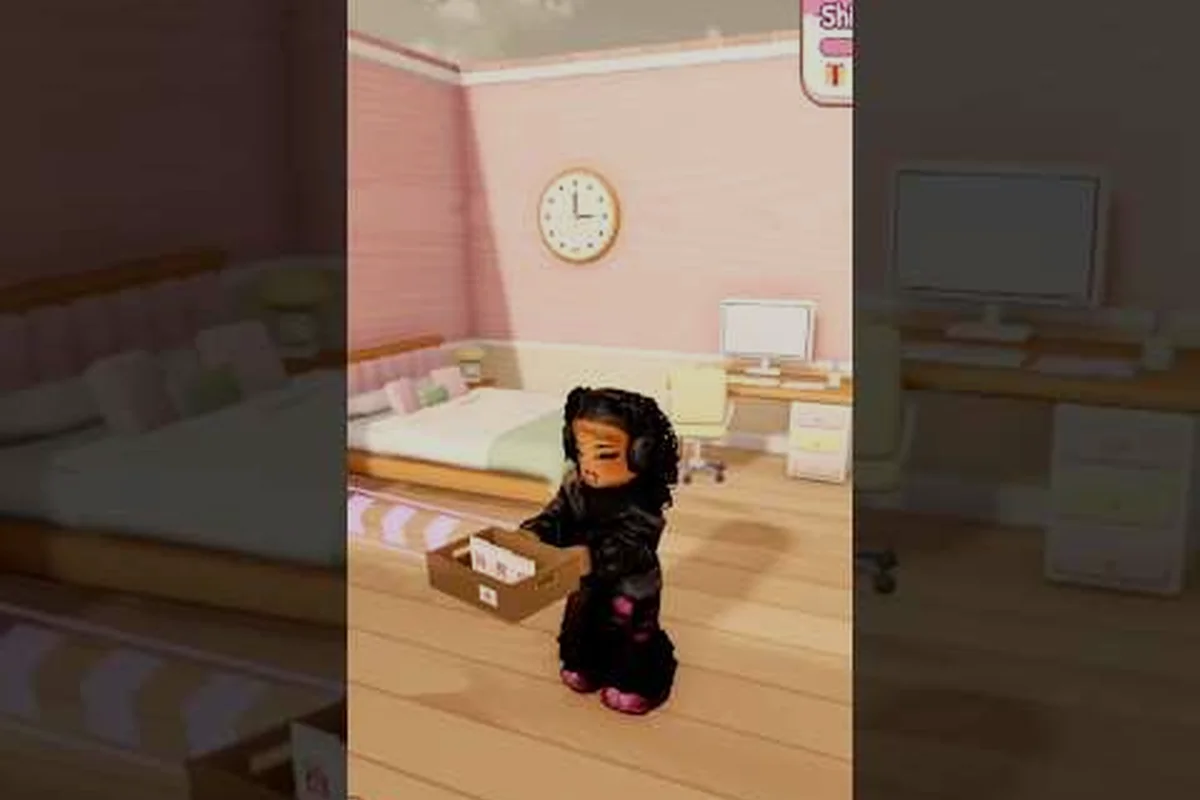
Chasing a full set of badges in My Small Business Roblox is mostly about knowing the exact trigger for each milestone, because the game never spells them out for you. This checklist walks through every unlock in order so you can push toward 100 percent badges without wasting a single coin or shipment.
The short version: the welcome badge fires the moment you join, the first masterpiece badge fires after your first design, the first delivery badge fires after your first shipped package, and the moving out badge fires when you unlock the Craft Studio. Everything else is a matter of sequencing those four steps efficiently and keeping your shop rating healthy along the way.
What Every My Small Business Roblox Badge Actually Requires
The official game page describes a cozy tycoon loop: you sketch products in the Design Studio, print and cut them, then pack customer orders with packaging, thank-you cards, and goodies before shipping. Each badge is tied to one specific point in that loop, which is why players who rush the shipping step before finishing a design often wonder why nothing unlocked.
Here is the full badge map as reported by the community and reflected on the official My Small Business game page: five core badges — Welcome, First Masterpiece, First Delivery, Moving Out, and Five-Star Shop — each hooked to a distinct stage of the Design Studio → print/cut → pack → ship pipeline. The table below pairs every badge with its exact trigger, a difficulty rating, and the typical unlock time players report, so you can see at a glance that the first three badges fall out of normal tutorial play while Moving Out and Five-Star Shop demand deliberate grinding. Use the trigger column as your checklist when hunting the my small business roblox 100 percent badges run.
| Badge | Trigger | Difficulty | Typical Unlock Time |
|---|---|---|---|
| Welcome | Join the game for the first time | Automatic | Instant |
| First Masterpiece | Complete your first product design | Very easy | 2-5 minutes |
| First Delivery | Ship your first packed customer order | Easy | 10-20 minutes |
| Moving Out | Unlock the Craft Studio | Moderate | 1-3 hours |
| Five-Star Shop | Hold a five-star shop rating | Hard | Several sessions |
The first three badges are essentially guaranteed if you simply play the tutorial loop correctly. The last two are where most players stall, and the moving out badge in particular is reached by fewer than one in ten players according to the game page description, which makes it the real dividing line between casual shoppers and completionists.
A quick note on badge count: the game's badge list has shifted slightly across updates, so treat the five above as the core set and check the in-game badge menu for any seasonal additions. Community reports consistently list these five as the ones that count toward a full completion.
How the Welcome Badge and First Masterpiece Badge Fire
These two are the easiest badges in the game, but players still miss them because they skip the Design Studio entirely and try to serve customers with pre-made stock. The welcome badge is automatic, so if you somehow do not have it, you are almost certainly in a different experience or a private server with badges disabled.
The First Masterpiece badge requires you to finish a design from scratch. That means opening the Design Studio, sketching a product, and confirming the design so it becomes printable. It does not require a high-quality sketch, a specific product type, or any upgrade — a plain, low-effort design still counts.
A few practical notes for this stage: the Design Studio timer and the order board run independently, so you can sketch a product, confirm it, and only then walk to the counter to serve your first customer — the First Masterpiece badge fires on confirmation, not on sale, which means you can bank the badge before your first delivery ever completes. If you are grinding toward the 100 percent badges checklist, treat the welcome badge and First Masterpiece as a single two-minute opener: join the public server (not a private one with badges disabled), open the Design Studio from the build menu, sketch any shape, and hit confirm. Players who instead queue orders first typically add five to ten minutes of backtracking before the masterpiece badge registers, since the game will not credit a design you never confirmed.
-
Sketch first, sell second. New players who jump straight to the order board usually end up shipping a product they never designed, which delays the masterpiece badge.
-
Confirm the design before leaving the studio. An unconfirmed sketch sits in limbo and will not trigger anything.
-
Do not delete your first design. Some players sketch, dislike the result, and scrap it before confirming, then wonder why the badge never appeared.
Once the First Masterpiece badge pops, you have effectively finished the creative half of the early game — but do not sprint to the counter expecting the First Delivery badge to fire. The next badge is purely about logistics: the order board only credits a sale once a customer physically reaches the register, picks up the item, and completes payment, so a confirmed design sitting on the printer shelf earns you nothing until it is stocked and sold. This is the exact gap where new players stall on the my small business roblox 100 percent badges checklist — they bank the masterpiece, assume the delivery badge auto-triggers, and then wait idle while the order board timer keeps cycling without a served customer. Treat the two badges as separate beats: confirm the sketch in the Design Studio, print it, place it on the sales floor, then walk to the counter and ring up that first customer to convert your design into the First Delivery badge.
My Small Business Roblox First Delivery Badge: The Exact Sequence
The first delivery badge is the one that trips up the most new players, because it requires four separate production stages to complete in the right order. Skipping any one of them means the package never ships, and an unshipped package never awards the badge.
The sequence below is the only reliable path to the First Delivery Badge, and it mirrors the game's internal delivery checklist exactly — the badge script fires only when the order board, production bench, printer, packing table, and shipping station all register a completed action on the same order ID. Break the chain at any station and the order stays in limbo: the package sits on your packing table, the customer's order slip never clears, and the badge counter stays at zero even if you later ship a different order.
-
Accept a customer order from the order board so the game knows what product and quantity you owe.
-
Build the product in the production area using the design you already confirmed.
-
Print and cut the copies — this is a distinct step from building, and the copies must match the requested quantity.
-
Pack the order with packaging, a thank-you card, and any goodies you want to include.
-
Ship the package at the shipping station to finalize the delivery.
The most common failure is a quantity mismatch. If the customer ordered three units and you packed two, the shipping station will not accept the package, and no badge appears. The same rule applies in reverse: packing four units for a three-unit order also stalls the shipment, because the shipping station validates the packed count against the order slip's quantity field rather than simply checking that a package exists. This is why the packing table step and the shipping station step must both be completed on the same order ID — a partially packed order that you abandon to serve a new customer leaves the original slip open, and the First Delivery Badge script only fires when every station in the chain registers a completed action for that specific order. Double-check the order slip against your packed contents before you seal anything.
For a deeper breakdown of this specific milestone, the first delivery badge walkthrough covers each station interaction in more detail, including what the game does and does not count as a completed shipment.
Why Your First Delivery Sometimes Does Not Register
If you completed all five steps and still have no badge, the issue is almost always one of three things: the product was built from an unconfirmed design, the packed quantity did not match the order, or the package was placed on the shipping counter but never confirmed. Re-run the loop once from a fresh order and the badge will fire.
Unlocking the Moving Out Badge Through the Craft Studio
This is the badge that separates a casual session from a real completion run. The Moving Out badge unlocks when you purchase the Craft Studio, which is a significant coin investment compared to the early-game upgrades. Because fewer than ten percent of players reach it, the Craft Studio is effectively the game's mid-game gate.
The efficient path looks like this: bank coins across your first five sessions by completing the welcome, masterpiece, and delivery badges, then fill customer orders consistently while skipping every cosmetic shop upgrade. That discipline matters because the Craft Studio purchase price is steep relative to early-game income, and each decor item you buy pushes the Moving Out badge further away. Treat sessions 3-5 as pure income grinding — every coin saved is one session closer to the mid-game gate.
| Phase | Goal | Coins to Bank |
|---|---|---|
| Sessions 1-2 | Complete welcome, masterpiece, and delivery badges | Minimal spending |
| Sessions 3-5 | Fill orders consistently, avoid cosmetic purchases | Save aggressively |
| Session 6+ | Buy the Craft Studio | Full purchase price |
The single biggest mistake is spending coins on cosmetic shop upgrades before the Craft Studio. Those upgrades make your shop look nicer but do nothing for badge progress, and every coin spent on decor is a coin you have to earn again before the moving out badge unlocks.
Community guides, including the NoobBlox My Small Business walkthrough, consistently recommend prioritizing income upgrades over cosmetics in the early game for exactly this reason. If you want the full unlock route with the Craft Studio as the endpoint, the moving out badge guide pairs well with this checklist since both badges reward the same patient, upgrade-first playstyle.
How to Get the Moving Out Badge Without Grinding Forever
Three habits shorten the grind considerably. First, keep your order board full at all times — idle time is lost income. Second, pack orders with the minimum required packaging rather than premium extras, since extras cost coins without increasing badge progress. Third, resist every cosmetic purchase until the Craft Studio is bought, then treat yourself afterward.
Reaching My Small Business Roblox 100 Percent Badges
Getting to 100 percent badges means clearing all five milestones, and the Five-Star Shop badge is the final wall. It requires holding a five-star shop rating, which depends on order accuracy, packaging quality, and consistent service rather than a single lucky shipment.
The rating system is cumulative in feel — one sloppy order can drag you down and take several clean orders to recover. That is why completionists should treat the star rating as a long-term habit rather than a one-time task.
| Rating Factor | What Helps | What Hurts |
|---|---|---|
| Order accuracy | Correct product and quantity every time | Wrong item or short count |
| Packaging quality | Neat, complete packaging | Missing cards or goodies |
| Service consistency | Steady clean shipments | Long idle gaps between orders |
| Shop presentation | Functional, tidy layout | Cluttered, hard-to-navigate shop |
For the full rating breakdown and recovery tactics, the five-star shop badge guide explains how the rating responds to each factor and how to climb back from four stars. The key insight is that recovery is slower than maintenance, so protect a five-star rating once you have it instead of chasing it repeatedly.
Sequencing All Five Badges in One Plan
The cleanest route to 100 percent badges runs in this order: join and grab the welcome badge, complete one design for the masterpiece badge, run a single full order for the delivery badge, then bank coins exclusively for the Craft Studio to claim the moving out badge, and finally settle into a clean shipping routine to lock in five stars. Doing the star rating last is deliberate — the habits you build while grinding for the Craft Studio naturally produce clean shipments, which makes the final badge far easier.
Frequently Asked Questions
How many badges are there in My Small Business Roblox?
The core set is five: Welcome, First Masterpiece, First Delivery, Moving Out, and Five-Star Shop. Community reports occasionally mention seasonal additions, so check the in-game badge menu after major updates. Clearing all five is what players mean by 100 percent badges.
Why did my first delivery badge not unlock after I shipped a package?
The most common cause is a quantity mismatch between the order slip and the packed box, or a product built from an unconfirmed design. Re-run the full loop from a fresh order — accept, build, print and cut, pack, then ship — and the badge should register immediately.
How long does the moving out badge take to unlock?
Most players need several play sessions because the Craft Studio is a substantial coin purchase. Saving aggressively and avoiding cosmetic upgrades shortens the grind considerably. Since fewer than one in ten players reach it, expect it to be the longest single milestone in the set.
Do badges give any in-game rewards?
Badges function as milestone markers rather than stat boosts, so they do not directly increase income or unlock gameplay advantages. Their value is completionist and cosmetic. Treat them as progress proof and keep your coin spending focused on actual shop upgrades.
Can I earn the five-star shop badge before the moving out badge?
Technically yes, but it is inefficient. The clean shipping habits you build while saving for the Craft Studio make the five-star rating much easier to hold, so most completionists deliberately leave the rating badge for last and protect it once earned.